

Adobe Systems, headquartered in San Jose, California, is a leading software company renowned for its suite of creative applications. Since its founding, Adobe has developed industry-standard tools like Photoshop, Illustrator, InDesign, and Acrobat. The company is committed to empowering individuals and organizations to create, edit, and communicate effectively in a digital world, continuously innovating to meet the evolving needs of its users.
Adobe Lightroom, first released in 2007, has become one of the most popular photo editing and management applications worldwide. Designed for photographers and photo editors, Lightroom offers a seamless workflow for organizing, editing, and sharing digital photos. Its powerful features cater to both professionals and hobbyists, making it a versatile tool for a wide range of creative projects.
What is a Photo Enhancer & Colorization App?
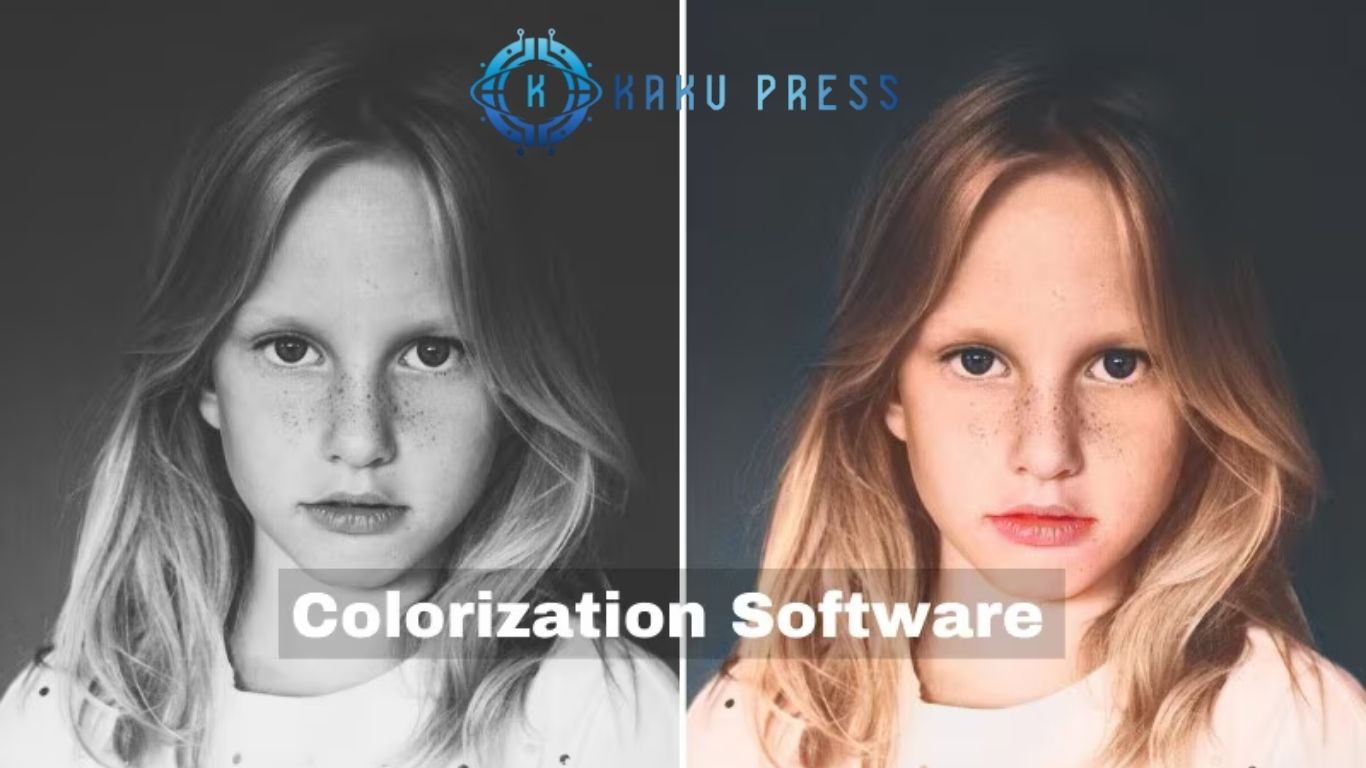
A photo enhancer and colorization app is a software tool designed to improve the quality of digital images. These apps use advanced algorithms and AI technology to enhance clarity, color, brightness, sharpness, and contrast. They can also add color to black-and-white images, restore old photos, and automatically correct imperfections.
Unlike traditional photo editors, these apps focus on making images visually appealing with minimal effort, making them suitable for professionals and amateurs alike.
The Role of Photo Quality Editors
Photo quality editors are specialized tools that enhance digital images by adjusting aspects such as color, exposure, sharpness, and noise reduction. These tools are essential for producing professional-grade results and enhancing photo visual appeal.
Core Features of Modern Photo Quality Editors
- Color Correction: Adjust color balance to make images more vibrant and natural.
- Exposure Adjustment: Correct underexposed or overexposed photos by controlling brightness and contrast.
- Sharpness Enhancement: Improve image clarity by bringing out fine details.
- Noise Reduction: Minimize digital noise in low-light or high-ISO conditions.
- Cropping and Resizing: Optimize composition and prepare images for printing or online sharing.
Popular photo editing software includes Adobe Lightroom, Adobe Photoshop, GIMP, and Affinity Photo. These tools range from simple, user-friendly applications to advanced professional-grade software, providing options for all skill levels.
Benefits of Using a Photo Enhancer & Colorization App
Using a professional photo enhancer and colorization app offers numerous benefits:
- Improved Visual Appeal: Enhance images instantly and make them stand out on social media, websites, or portfolios.
- Time-Saving: AI-powered tools save hours of manual editing.
- Restoration of Old Photos: Bring new life to black-and-white or faded images.
- Professional-Quality Results: Achieve studio-level image quality without expensive equipment or software.
- Creative Freedom: Customize colors, effects, and adjustments for unique artistic results.
Popular Photo Enhancer & Colorization Apps
While there are many apps available, a few have emerged as industry leaders:
- Adobe Lightroom: Offers professional-grade editing, RAW support, and advanced color correction.
- Photoshop Express: A mobile-friendly version of Photoshop with AI enhancements and filters.
- Remini: AI-powered app focused on enhancing old or low-quality images.
- Luminar AI: Provides one-click AI enhancements and artistic tools for photographers.
- Colorize – AI Photo Colorizer: Specializes in realistic colorization of black-and-white images
Frequently Asked Questions
What is the best app to enhance photo quality and colorization?
The best app combines AI-powered photo enhancement and colorization tools to improve clarity, sharpness, and color accuracy. Popular choices include Adobe Lightroom, Remini, and Luminar AI, which offer high-quality results for both professionals and casual users.
Can a photo enhancer app restore old black-and-white photos?
Yes, advanced photo colorization apps can automatically restore and colorize old black-and-white photos. AI technology analyzes the photo’s content and applies realistic colors, making old memories vibrant and lifelike.
Does the app support high-resolution images?
Top photo enhancer apps support high-resolution and RAW formats, allowing users to maintain maximum image quality during editing. This is essential for professional printing and portfolio use.
Are these photo enhancer apps easy to use?
Most modern apps are designed for ease of use, featuring one-tap enhancements, presets, and intuitive editing tools. Users can quickly enhance photos with the option to make manual adjustments for precise control.
Can I edit photos on multiple devices with these apps?
Yes, many apps like Lightroom offer cross-device synchronization, allowing you to edit images on desktop, mobile, or web while keeping changes synced across all devices.
What features make a photo enhancer app the best choice?
Key features include AI colorization, noise reduction, sharpness enhancement, exposure correction, presets, and batch processing. Together, these tools ensure high-quality, professional results with minimal effort.
Conclusion
The best photo enhancer and colorization app for high-quality images is an essential tool for anyone looking to elevate their photography. With features like AI-powered colorization, noise reduction, sharpness enhancement, and high-resolution support, these apps make it easy to transform ordinary photos into visually stunning works of art. Whether you’re restoring old black-and-white photos, editing professional shots, or enhancing everyday images, the right app saves time while delivering professional-quality results. Investing in a reliable photo enhancer ensures your images always stand out, giving your memories, portfolios, and creative projects a polished, vibrant, and lifelike appearance.
